Online DICOM Viewer
Review DICOM images from your assigned consultations and clinic archive in a browser through the RADAZ workspace.
Learn more →Open CT, MRI and other DICOM studies by series, compare images and use MPR and 3D views when the image data supports them.
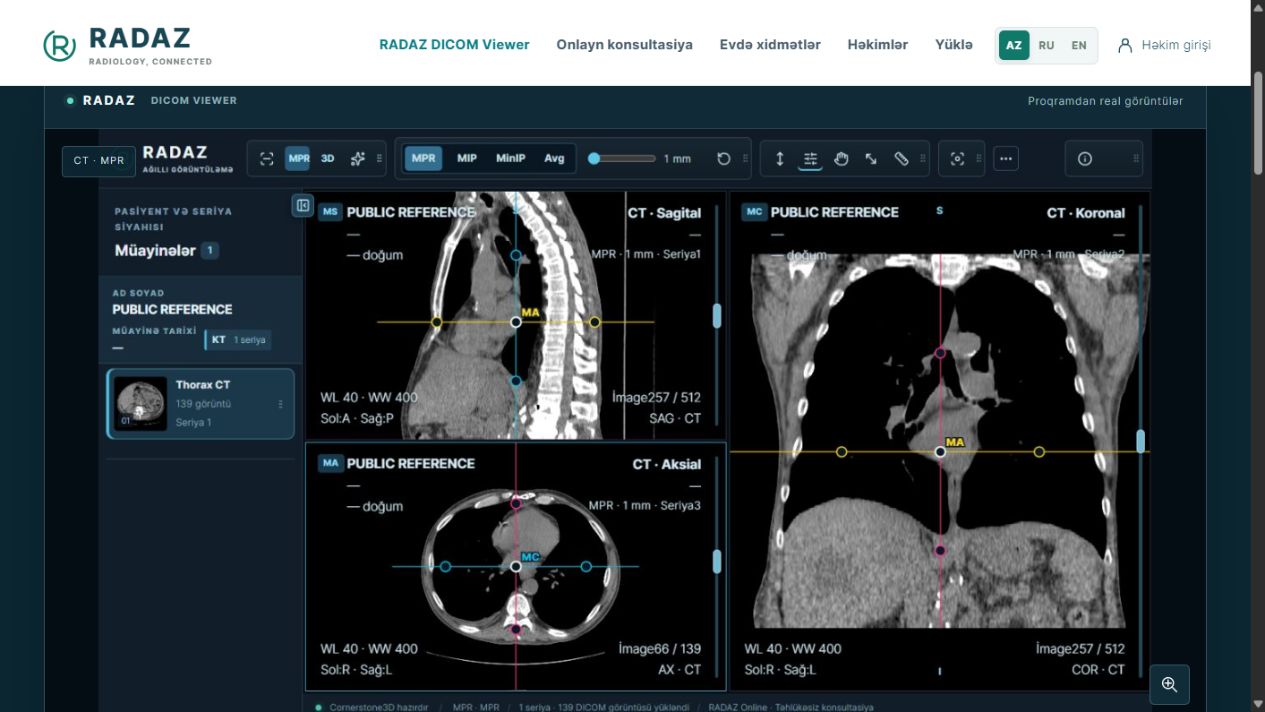
The viewer is designed for clinicians working with radiological images. Series navigation, windowing, zoom and measurement tools support image review in different orientations. Tool availability depends on the selected series.
The Windows application works with local files, folders and CDs. The online viewer opens archive and consultation images assigned to the doctor through the workspace. These versions differ in access and file handling.
Review DICOM images from your assigned consultations and clinic archive in a browser through the RADAZ workspace.
Learn more →Download RADAZ to work with DICOM images on your computer. The current release is available from the download page.
Learn more →Windows Bridge connects a clinic’s DICOM transfer workflow to the RADAZ cloud archive. Manage clinic connections and synchronisation status from your workspace.
Learn more →Get started with your doctor account, clinic archive and Voice reports. Each service has its own access and working workflow.
Learn more →